
How It Works
Fuel Rebate Solution Management System
Track, Manage, and Report Fuel Usage with Ease
Our step-by-step process helps farms, mining, and construction operations capture fuel transactions, monitor usage, and generate SARS-compliant diesel rebate reports — all in one secure system.
Step 1
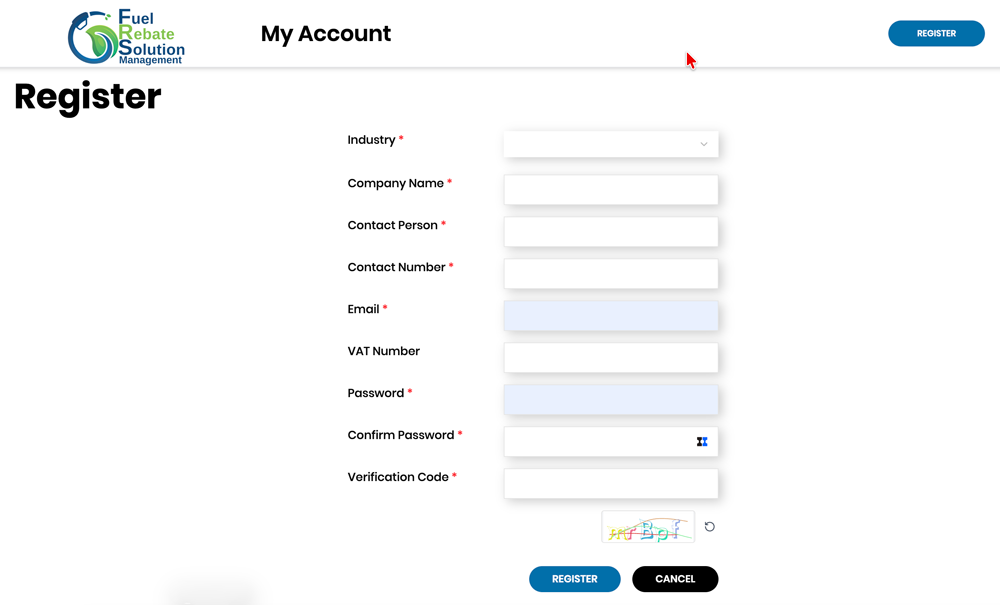
Register Your Account
Create Your Company Profile
Sign up and complete your profile with:
- Company or farm name
- Site or operational location
- Fuel reporting start date
- Fuel rebate eligibility category
Step 2
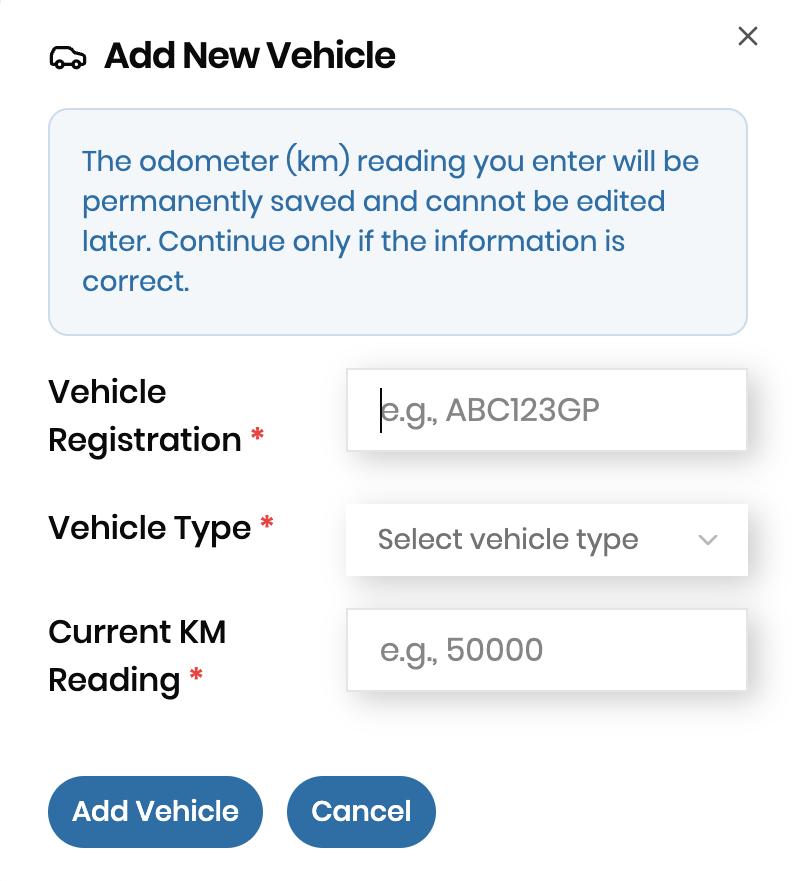
Add Vehicles and Fuel Units
Track Your Fleet and Fuel Infrastructure
Add all vehicles, machinery, and fuel units:
- Storage units – bulk tanks for diesel
- Transfer units – fuel bowsers or trucks
- Vehicles/machinery – tractors, excavators, loaders, trucks, generators
Include opening balances, vehicle types, drivers, and operational areas.
Step 3
Define Operational Areas & Activities
Organise Diesel Usage by Area and Task
Record where fuel is used and link it to specific activities:
- Farms: fields, crops, irrigation zones
- Mining: operational sites, drilling, hauling areas
- Construction: project sites, zones, machinery usage
This ensures that diesel rebate claims are accurate and compliant.

Step 4
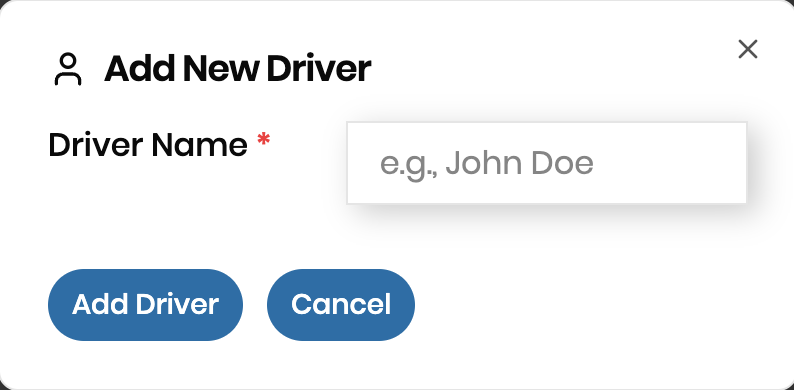
Add Drivers and Assign to Transactions
Track Who Uses the Fuel
Register drivers or machine operators and assign them to transactions. This allows the system to:
- Track fuel usage per driver
- Record vehicle dispensing activity
- Identify potential inefficiencies or losses
Step 5
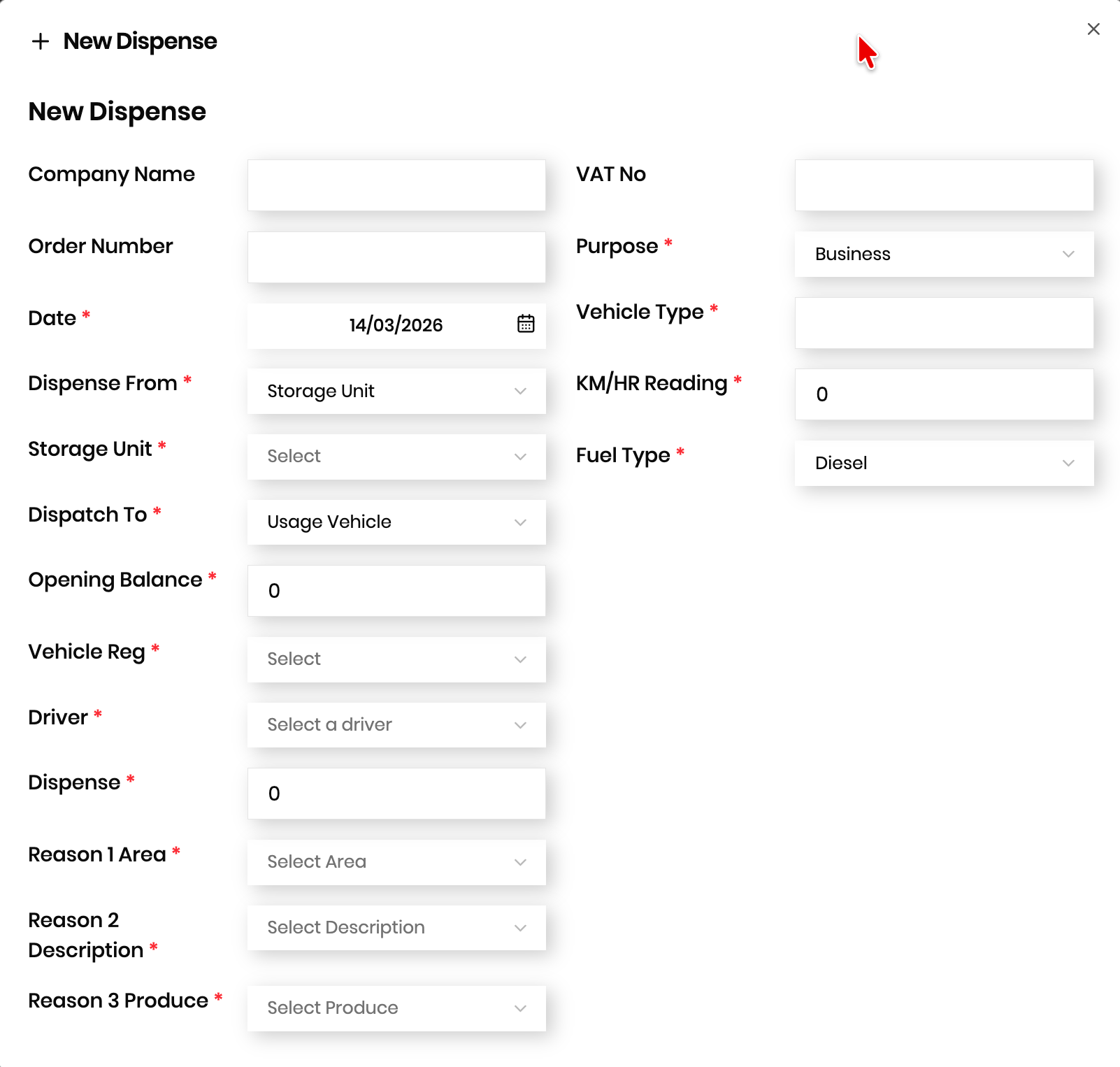
Record Fuel Transactions
Capture Every Fuel Movement
Track fuel from purchase to dispensing:
- Fuel purchases from suppliers
- Transfers from storage to transfer units (bowsers)
- Dispensing to vehicles and machinery
- Include odometer or hour meter readings, litres dispensed, operational area, activity type, and produce/product type
Step 6
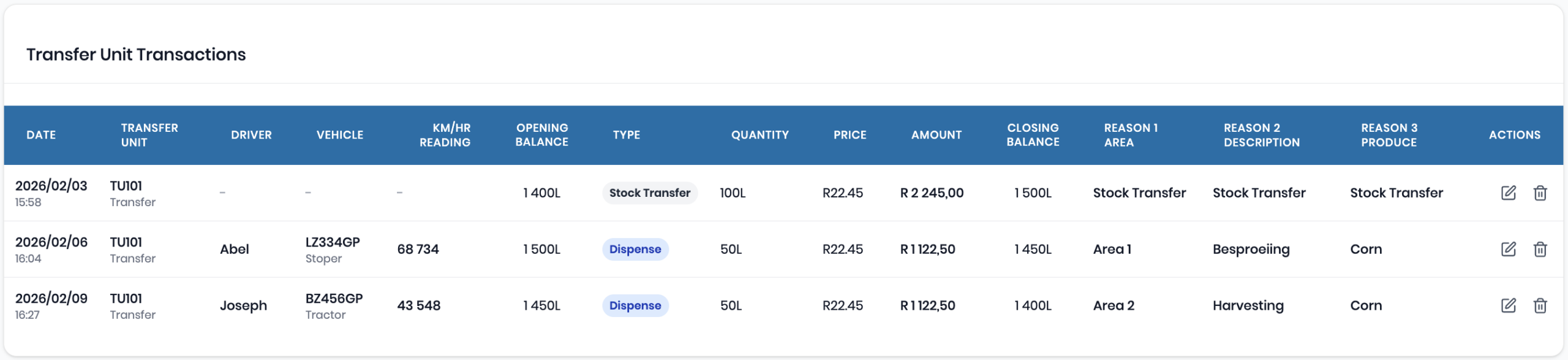
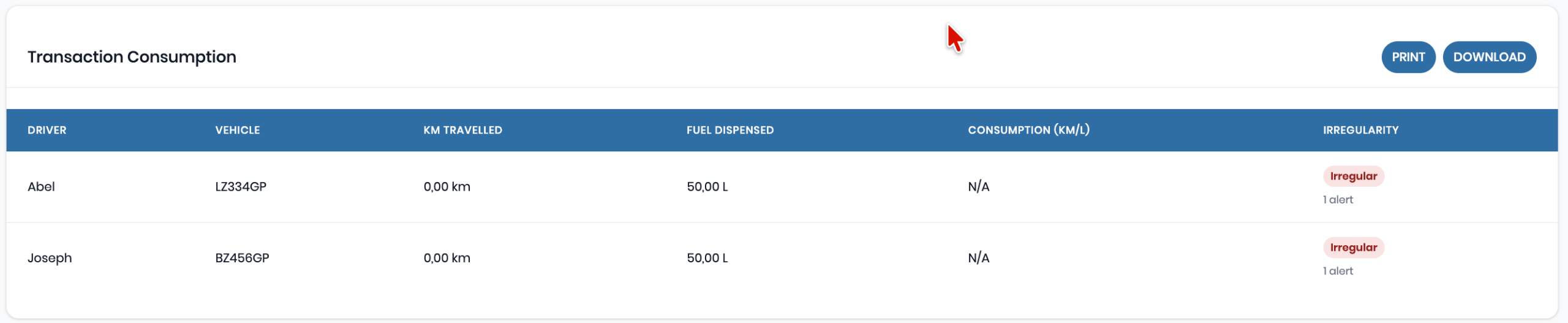
Automatic Calculations
Balances, Consumption, and Rebate Per Transaction
Track fuel from purchase to dispensing:
- Fuel purchases from suppliers
- Transfers from storage to transfer units (bowsers)
- Dispensing to vehicles and machinery
- Include odometer or hour meter readings, litres dispensed, operational area, activity type, and produce/product type

Step 7
Generate SARS-Compliant Reports
Simplify Diesel Rebate Submissions
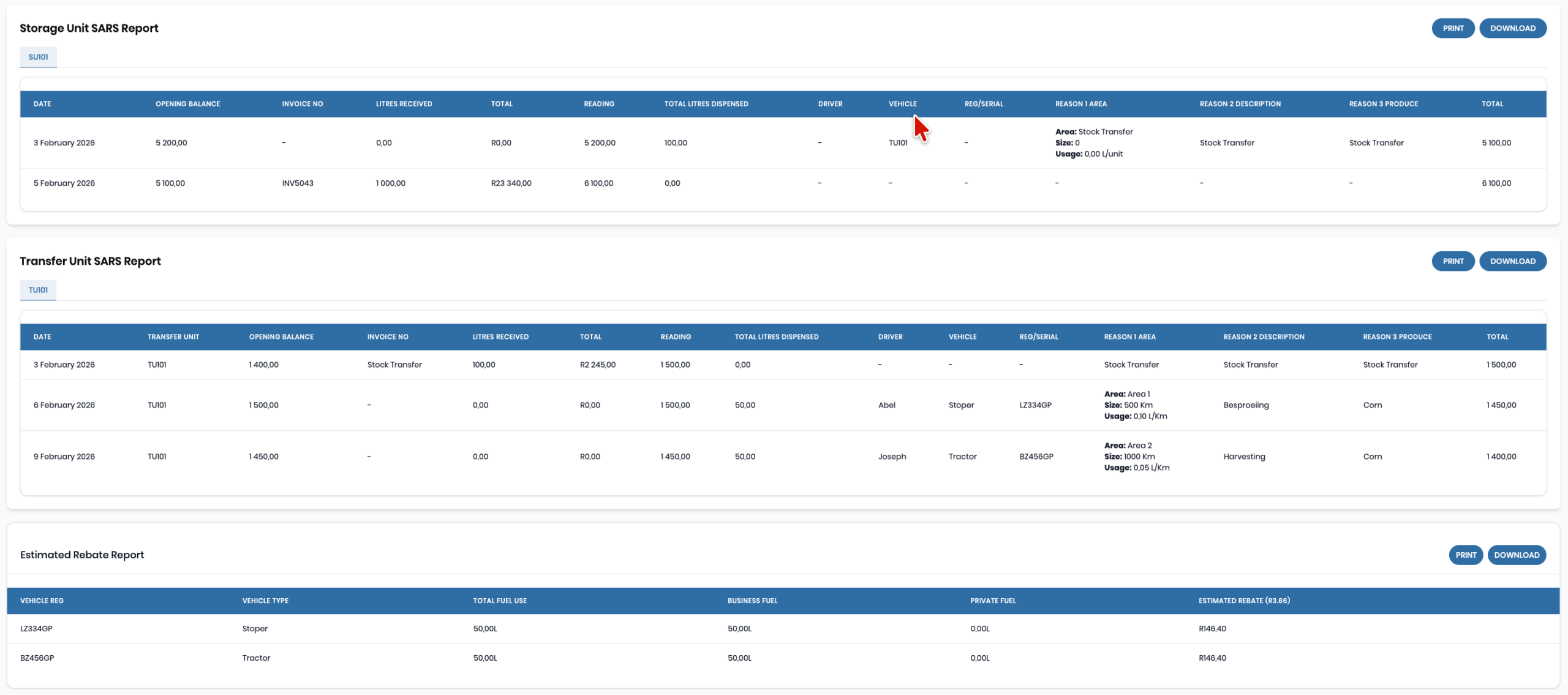
Generate structured reports that include:
- Fuel purchase history
- Storage and transfer unit reports
- Vehicle and driver fuel usage
- Operational area and activity breakdown
- Opening and closing balances
- Rebate calculations per transaction
Reports can be shared with your accountant or printed for SARS submissions.
Step 8
Invite Your Accountant
Collaborate for Compliance
Invite your accountant or financial manager to review transactions and reports. This ensures:
- Accurate reporting for SARS rebate submissions
- Transparent auditing for fuel usage
- Reduced administrative workload

Start Managing Fuel Rebates Today
Whether you operate a farm, mine, or construction site, FRSManagement makes diesel rebate reporting simple, accurate, and efficient.